
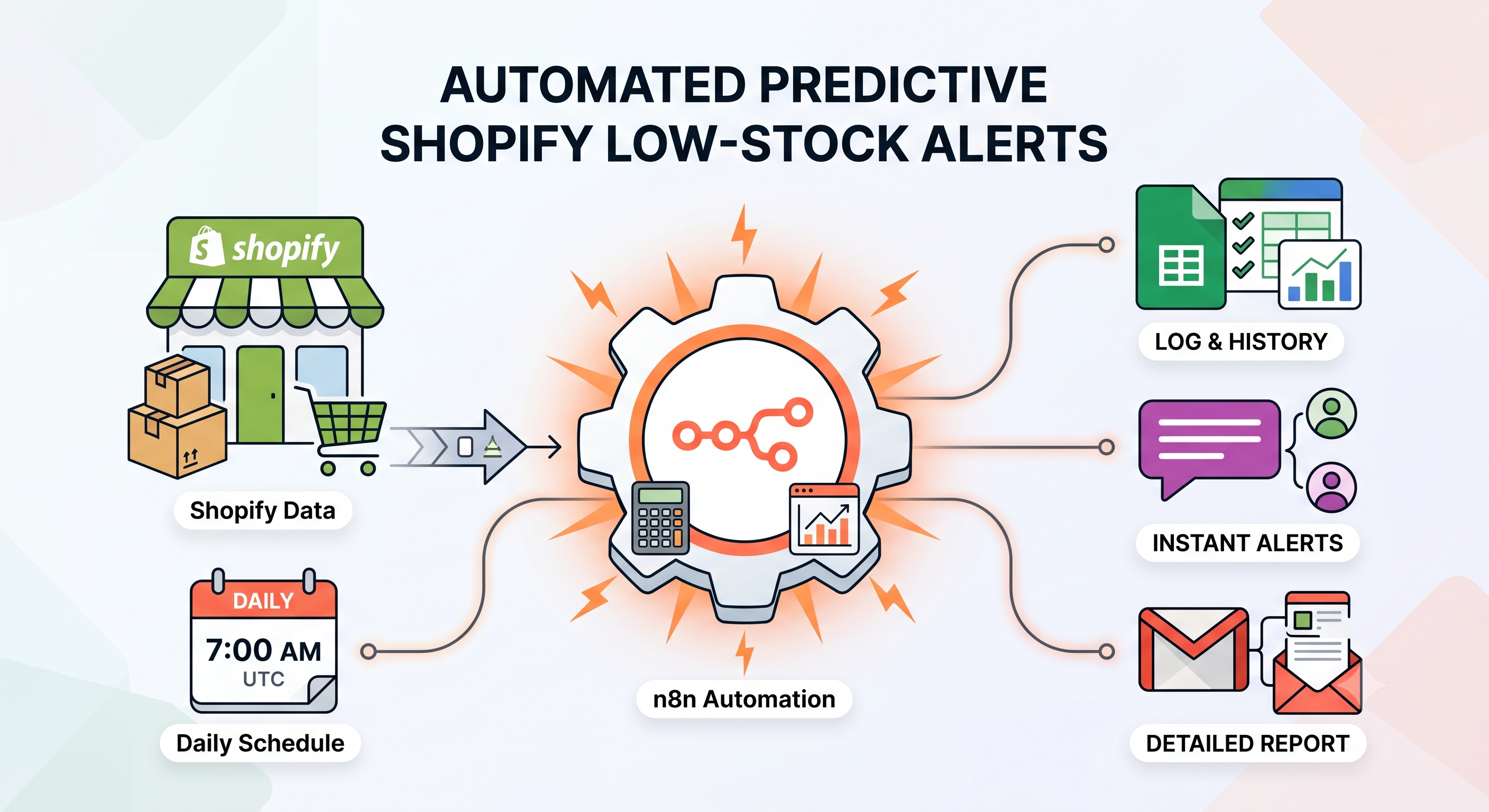
Send Predictive Shopify Low-Stock Alerts with Google Sheets, Slack, and Gmail
Automatically predict Shopify stockouts using sales velocity, send low-stock alerts via Slack and Gmail, and prevent duplicate notifications with Google Sheets using this free n8n workflow.
Download the n8n Workflow
Import the workflow used in this guide.
Why Inventory Stockouts Hurt Shopify Stores
Running out of inventory is one of the fastest ways for a Shopify store to lose revenue. If popular products go out of stock unexpectedly, customers leave your store, cancel orders, or purchase from competitors instead.
Most merchants only react after inventory becomes critically low, leaving little time to reorder products or notify purchasing teams. Common inventory challenges include:
- High-demand products selling out unexpectedly
- Manual inventory monitoring consuming valuable time
- Late supplier reordering
- Lost sales due to stockouts
- No centralized reporting for inventory risk
Instead of manually checking inventory every day, businesses can automate predictive stock monitoring using n8n.
How Predictive Low-Stock Alerts Solve the Problem
This automation analyzes recent Shopify sales history, calculates product sales velocity, predicts how many days of inventory remain, logs previous alerts inside Google Sheets to prevent duplicates, and automatically sends inventory reports through Slack and Gmail.
How the Automated Workflow Works
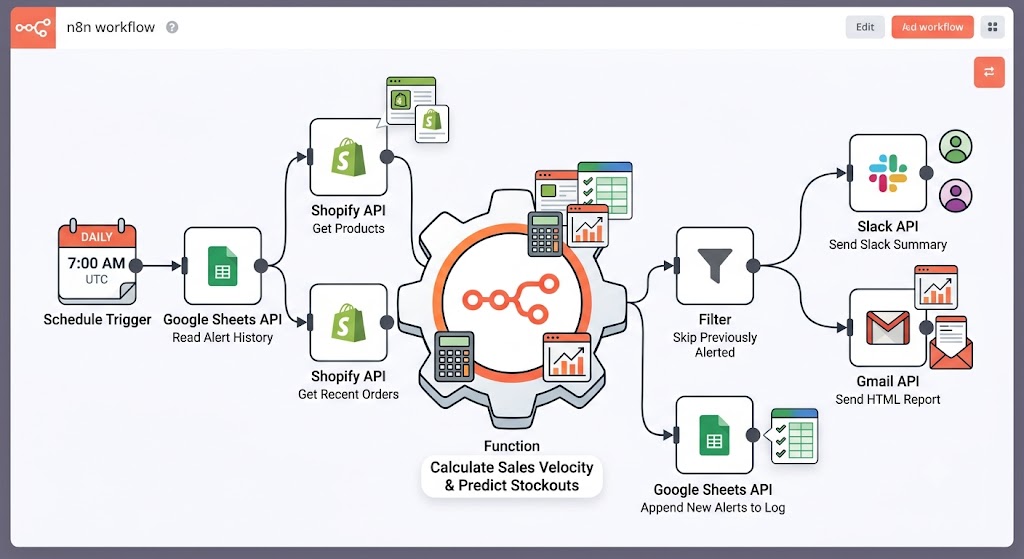
Step 1 — Daily Scheduled Execution
The workflow runs automatically every day at 7:00 AM UTC. It loads all configurable settings including Shopify Store, Google Sheet, Gmail recipient, Slack Channel, and the velocity calculation period.
Step 2 — Load Previous Alert History
The workflow reads a Google Sheet containing previously alerted product variants. This prevents duplicate notifications from being sent multiple times during the same day. The alert log stores:
- Run Timestamp
- Variant IDs
- Total Products Alerted
Step 3 — Fetch Shopify Products & Orders
Using the Shopify Admin API, the workflow retrieves active products, inventory-tracked variants, recent paid orders, and current inventory quantities. The order history is used to calculate average daily sales.
Step 4 — Calculate Sales Velocity
For every inventory-tracked variant, the workflow calculates units sold, daily sales velocity, remaining inventory, and estimated days until stockout. Products are classified into urgency levels: Critical, High, or Medium.
Step 5 — Skip Previously Alerted Products
Before generating notifications, the workflow checks the Google Sheet. If the product has already been alerted today, it is skipped automatically to prevent duplicate Slack messages and redundant emails.
Step 6 — Save New Alert Log
Newly detected low-stock variants are appended to the Google Sheet. Each record contains a timestamp, variant IDs, and the total count of flagged products, creating a historical monitoring log.
Step 7 — Send Slack Inventory Summary
A Slack notification is generated for operations and purchasing teams showing:
- Critical and High priority products
- Estimated stockout dates
- Inventory summary
Step 8 — Send HTML Inventory Report via Gmail
The workflow builds a detailed HTML report for email distribution, including product names, current inventory levels, sales velocity, and days remaining.
Step 9 — Automatic Error Alerts
If any workflow step fails, a global Error Trigger sends details (failed node, error message, and workflow links) to Slack for immediate troubleshooting.
Need Help Implementing This Workflow?
Our automation experts can customize this inventory monitoring workflow specifically for your Shopify business.
We can help with:
- ✅ n8n Workflow Development
- ✅ Shopify API Integration
- ✅ Google Sheets Automation
- ✅ Slack Notification Setup
- ✅ Gmail Reporting
- ✅ Custom Inventory Automation
- ✅ ERP & Warehouse Integrations
- ✅ Ongoing Workflow Support
Explore Our n8n Automation Services →
Step-by-Step Setup Guide
Step 1 — Connect Shopify
Configure Shopify OAuth2 credentials inside n8n. Ensure your app has access to:
- Orders API
- Products API
- Inventory Data
Step 2 — Create Google Sheet
Create a spreadsheet with the following columns: runTimestamp, variantIds, totalVariantsAlerted. Paste the Sheet URL into the workflow configuration.
Step 3 — Connect Slack
Create Slack API credentials and configure the Slack Channel ID and an Error Notification Channel.
Step 4 — Connect Gmail
Create Gmail OAuth2 credentials. Specify the email recipient who should receive the daily inventory reports.
Step 5 — Configure Inventory Thresholds
Customize variables such as daysToCalculateVelocity, recipientMail, googleSheetUrl, and slackEscalationChannel. You can also modify urgency thresholds based on your specific supplier lead times.
System Requirements & Features
Workflow Features
- Daily automated execution
- Sales velocity and stockout estimation
- Google Sheets alert history (Duplicate prevention)
- Multi-channel notifications (Slack & Gmail)
- Global error handling
Requirements
| Tool | Requirements |
|---|---|
| Shopify | Store Access, Orders/Products/Inventory APIs |
| Google Sheets | OAuth2 Credentials, Alert Log Spreadsheet |
| Slack | Workspace Access, Channel ID, API Credentials |
| Gmail | OAuth2 Credentials, Recipient Email |
| n8n | Version 2.20 or higher |
Use Cases & Best Practices
Real-World Use Cases
- Fast-Moving Ecommerce: Predict shortages before products sell out.
- Seasonal Monitoring: Monitor stock during holiday promotions and flash sales.
- Multi-Channel Inventory: Track Shopify inventory alongside warehouse operations.
- Purchasing Teams: Automatically notify buyers before replenishment deadlines.
Best Practices
- Run Daily: Maintain the 7:00 AM UTC schedule for consistency.
- Threshold Reviews: Adjust urgency thresholds as your business grows.
- Seasonality: Modify velocity calculations to account for seasonal spikes.
- Log Management: Periodically archive old Google Sheet log data to maintain speed.
Conclusion
Unexpected stockouts impact customer satisfaction and revenue. By implementing this automated n8n workflow, Shopify merchants can accurately predict inventory depletion and proactively manage stock levels.
Ready to automate Shopify inventory monitoring? 👉 Download the Free n8n Workflow Template Today
Related Posts
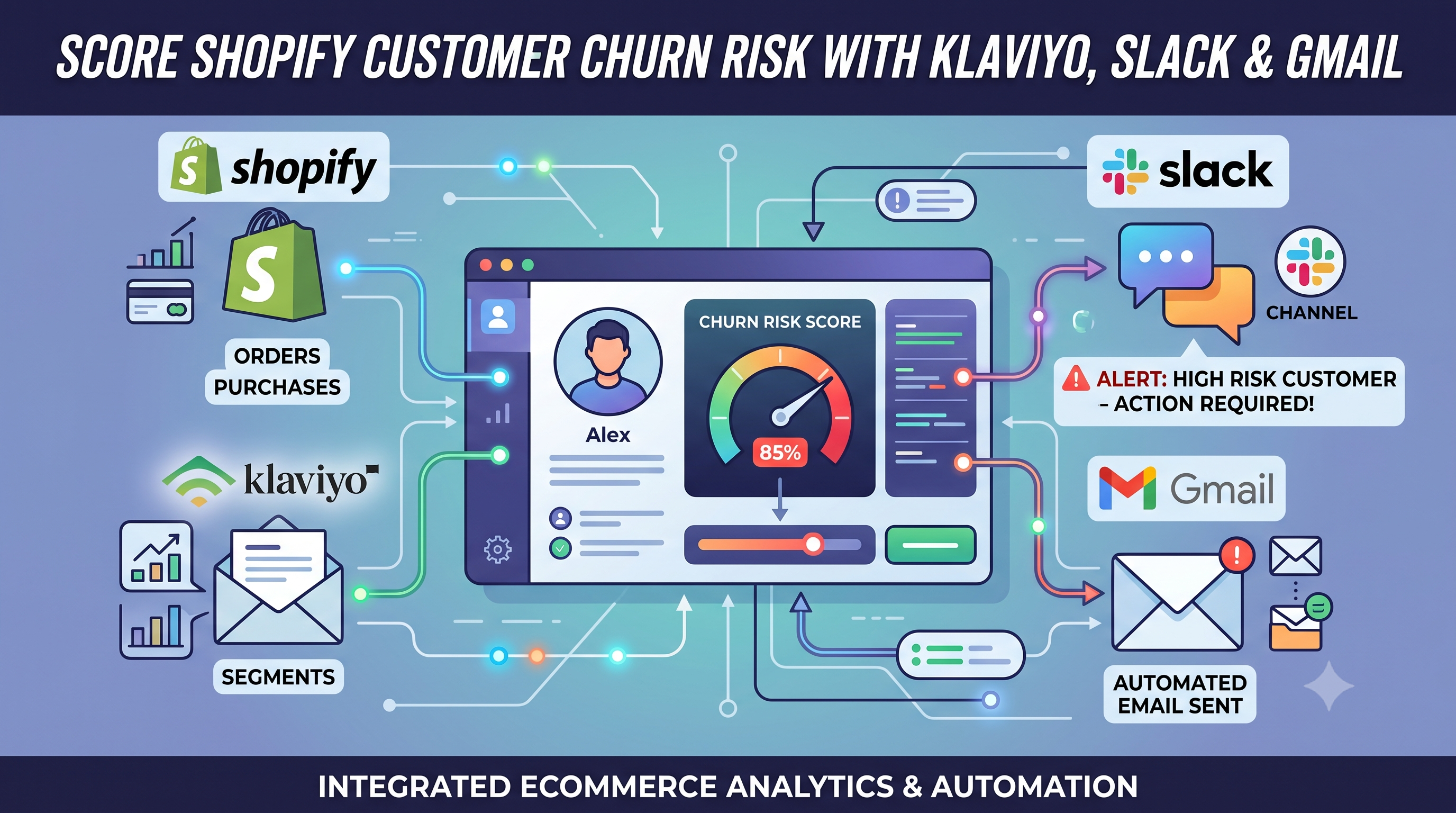
Score Shopify Customer Churn Risk and Sync Results to Klaviyo, Slack, and Gmail
Calculate Shopify customer churn risk dynamically based on reorder intervals. Automatically sync risk scores to Klaviyo and send alerts to Slack and Gmail with this free n8n workflow.
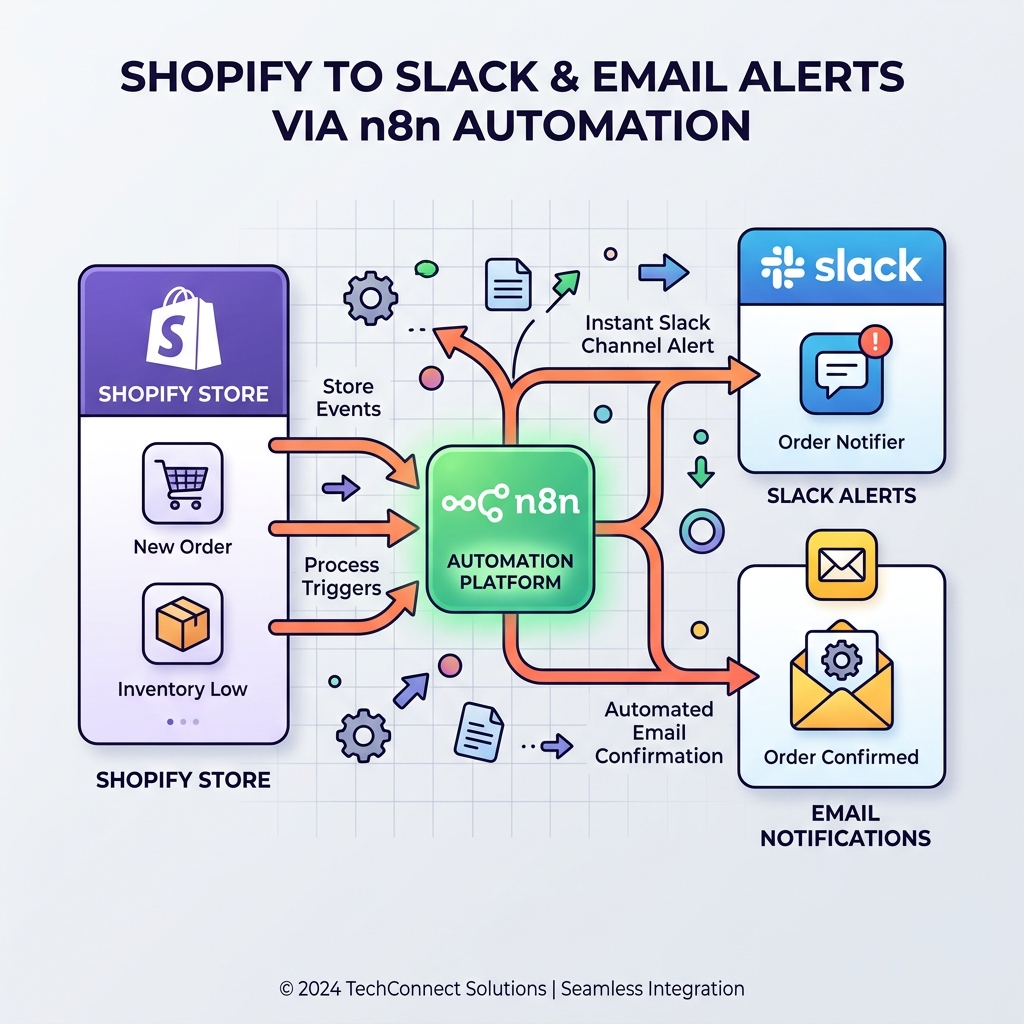
Monitor Shopify orders and send no-order alerts via Slack and email
Never miss a revenue-impacting failure. This n8n workflow monitors your Shopify store and triggers an alert if X minutes pass without a single new order.

Send Payment Reminders and Cancel Unpaid Shopify Orders via Gmail
Automate unpaid Shopify order recovery. Send staged payment reminders via Gmail, automatically cancel expired orders, restock inventory, and receive daily CSV admin audit reports with n8n.
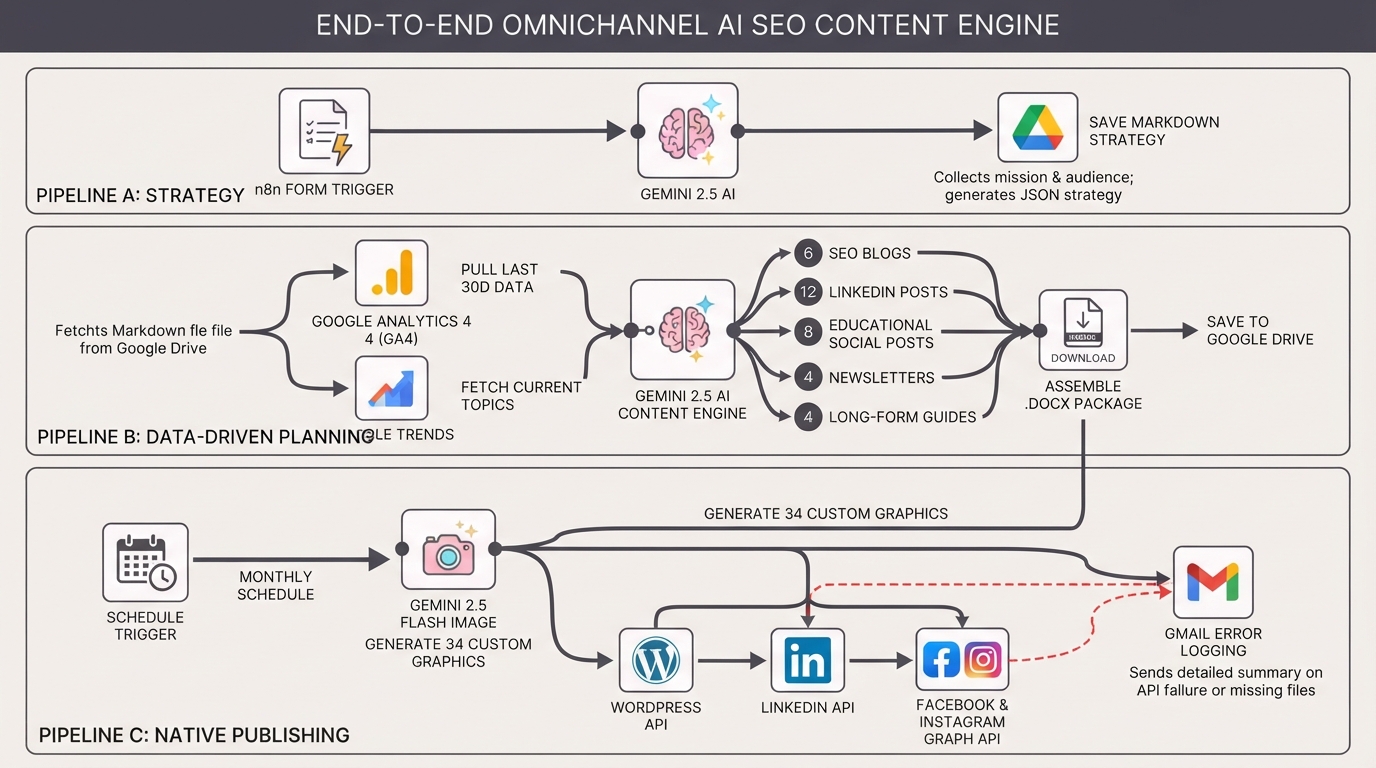
Generate monthly AI SEO content with Gemini for WordPress, LinkedIn and socials
An end-to-end AI content engine. Automate your strategy, generate 34 SEO assets and images with Gemini, and schedule them to WordPress, LinkedIn, Facebook, and Instagram natively using n8n.