
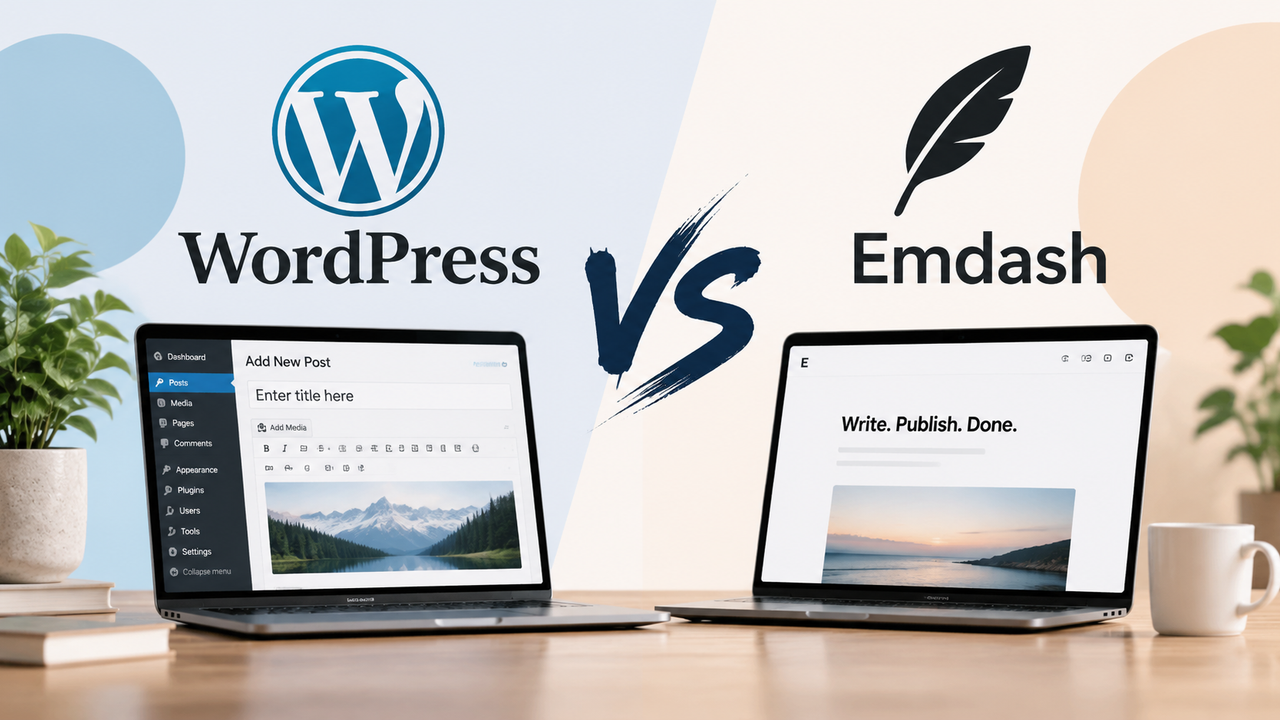
WordPress vs. Cloudflare EmDash CMS
WordPress offers an established ecosystem. EmDash brings an Astro-based approach to content management. Compare the practical trade-offs before choosing your next CMS.
WordPress vs. Cloudflare EmDash CMS: Which Is Right for Your Business?
Choosing a content management system is not just a technology decision. It affects how quickly your team can publish content, what your website costs to maintain, and how easily you can introduce new features.
WordPress has an established ecosystem of themes, plugins, hosting providers, and developers. Cloudflare’s EmDash takes a different approach: an open-source CMS built with TypeScript and Astro, with structured content and a plugin architecture that supports sandboxed execution.
But newer does not automatically mean better. And a larger ecosystem does not automatically mean the right fit.
The real question is which platform will help your business operate its website effectively—with an acceptable level of cost, complexity, and risk.
In this guide, we compare WordPress and EmDash across content management, customization, security, performance, integrations, ownership costs, and migration.
Scope: This comparison refers to self-hosted WordPress, not a specific WordPress.com hosting plan. EmDash is evolving, so deployment capabilities and extension compatibility should be checked against the release selected for your project.
1. WordPress vs. EmDash: The Short Answer
Choose WordPress when your requirements can be met effectively through established themes, plugins, and familiar publishing workflows.
Consider EmDash when you need a custom content-driven website, your development team works with Astro and TypeScript, and you are comfortable evaluating a newer ecosystem.
Keep your existing platform when it already supports your business reliably and the proposed migration does not solve a measurable problem.
| Consideration | WordPress | Cloudflare EmDash |
|---|---|---|
| Core technology | PHP with MySQL or MariaDB | TypeScript with Astro |
| Ecosystem | Established themes, plugins, and service providers | Newer, developing ecosystem |
| Content editing | Block editor, patterns, and optional page builders | Administrative interface and structured content; flexibility depends on implementation |
| Custom development | Themes, plugins, custom post types, and integrations | Astro components, content schemas, plugins, and integrations |
| Plugin execution | Typically runs within the application’s trust boundary | Supports sandboxed plugins; native plugins run with greater trust |
| Hosting | Broad shared, managed, VPS, and cloud options | Cloudflare deployment and Node.js hosting options |
| Performance | Depends on implementation, hosting, caching, and extensions | Depends on implementation, rendering, caching, and deployment |
| Commerce | Mature options such as WooCommerce | Evaluate suitable commerce integrations and custom requirements |
| Typical fit | Businesses benefiting from ready-made capabilities | Businesses investing in a tailored, developer-led content platform |
Neither platform guarantees a fast, secure, or easy-to-manage website simply by being installed.
2. What Is WordPress?
WordPress is an open-source CMS used to create business websites, publications, blogs, online stores, and other digital experiences.
Its main advantage is the ecosystem around it.
Businesses can choose from established solutions for forms, search optimization, commerce, multilingual content, memberships, and many other requirements. Development teams can also build custom themes and plugins when existing options are insufficient.
For a business owner, this often means:
- More ready-made functionality
- A broad choice of implementation partners
- Familiar editing workflows
- Multiple hosting and support options
- Less custom development for common requirements
However, those advantages depend on careful implementation. A website assembled from overlapping plugins and heavily customized themes can become difficult to maintain.
WordPress is not inherently a bloated platform. Poorly managed implementations can become bloated.
That distinction matters when evaluating whether to improve an existing website or replace it.
3. What Is Cloudflare EmDash?
EmDash is an open-source CMS introduced by Cloudflare, built with TypeScript and Astro and licensed under MIT.
It provides a foundation for managing content while allowing developers to build the website experience around the project’s requirements.
Cloudflare describes it as a “spiritual successor to WordPress,” but it is not a WordPress fork. WordPress themes and plugins do not automatically run on EmDash.
Its approach includes:
- Structured content management
- Astro-based website development
- Extensibility through plugins
- Sandboxed execution for supported plugin configurations
- Deployment options beyond traditional PHP hosting
Importantly, EmDash is not restricted to Cloudflare hosting. Cloudflare’s introduction also describes deployment to Node.js servers. However, hosting portability does not mean every environment provides identical isolation or operational capabilities.
For a deeper implementation walkthrough, see our EmDash CMS technical guide covering project setup, schemas, databases, and migrations.
4. Content Management: Which Platform Makes Everyday Work Easier?
Most business owners do not judge a CMS by its programming language. They judge it by everyday tasks:
- Can marketing launch a new campaign page?
- Can someone update a service without breaking the layout?
- Can location information be maintained consistently?
- Does every change require a developer?
WordPress: Familiar tools and established editing options
WordPress offers its block editor, reusable patterns, and a wide selection of page-building tools.
A carefully designed implementation can give editors substantial independence while protecting the website’s branding.
For example, a service business could have approved patterns for:
- Service introductions
- Customer testimonials
- Team profiles
- Frequently asked questions
- Enquiry sections
The risk appears when several editing systems or overlapping plugins are combined. Editors may face inconsistent interfaces and unclear rules about where content belongs.
EmDash: A tailored editing experience
EmDash can be structured around specific business content: services, locations, products, resources, or people.
For example, a manufacturing website could maintain a product’s specifications and documents as structured information rather than repeatedly entering them on separate pages.
However, do not assume that every EmDash implementation includes an unrestricted visual page builder. The development team must define the content models, components, and editing flexibility.
Business takeaway: Ask to see the editing experience before approving either platform. A useful demonstration should show your team completing real tasks—not just a developer navigating the administration panel.
5. Customization: Ready-Made Features or Purpose-Built Functionality?
Both platforms support custom development. The difference is often how much existing functionality you can reuse.
WordPress: Start with an established solution
Common business requirements may already have well-supported plugins.
That can reduce initial development effort for:
- Online stores
- Booking workflows
- Memberships
- Forms
- Multilingual publishing
- Marketing integrations
But “a plugin exists” is not the same as “the requirement is solved.”
You still need to evaluate compatibility, licensing, maintenance, data handling, and how the plugin fits your workflow.
EmDash: Build around a defined content model
EmDash can be attractive when the website requires a tailored frontend, structured content, and custom behavior that fits an Astro and TypeScript development workflow.
Its plugin system supports extensions such as content hooks, routes, storage, and administrative interfaces.
There are also different plugin formats with different trust implications. Native plugins are intended for requirements such as custom React administration components or direct database access; they are not equivalent to sandboxed plugins.
Our guide to creating a native EmDash plugin explores this implementation approach.
Business takeaway: Compare the cost of meeting your actual requirements, not simply the number of plugins available. A ready-made plugin can be the best choice. A small, focused custom extension can also be the best choice. Both need long-term ownership.
6. Security: Understanding the Plugin Difference
Security is one of the most important distinctions in the WordPress–EmDash comparison, but it is also easy to oversimplify.
WordPress plugins have broad application access
WordPress plugins generally execute within the same application environment as the website. Depending on permissions and configuration, plugin code can access the database and filesystem.
This makes plugins powerful, but a vulnerable extension may affect more than its own feature.
A responsible WordPress security approach includes:
- Selecting maintained extensions
- Removing unused plugins and themes
- Applying updates
- Restricting user permissions
- Protecting administrator access
- Maintaining backups and recovery procedures
- Monitoring the website
EmDash supports a more restricted plugin model
EmDash supports sandboxed plugins that declare required capabilities. In supported deployments, isolation can restrict what plugin code is allowed to access.
However, an important qualification applies:
Not every EmDash plugin runs in a sandbox.
Native plugins run within the host environment and require greater trust. The available enforcement also depends on the deployment and execution mode. The project’s plugin documentation explicitly distinguishes these models.
Business takeaway: EmDash’s sandboxing is a meaningful architectural difference, but it is not a promise of an unhackable website.
For either platform, ask:Security should be evaluated as an operating practice, not a marketing label.
- Which extensions run with elevated trust?
- Who reviews custom code?
- How are updates tested?
- Who monitors incidents?
- How quickly can the website be restored?
7. Performance: Is EmDash Faster Than WordPress?
There is no responsible universal answer.
EmDash’s Astro-based approach can support lightweight pages, while Cloudflare deployment can offer useful infrastructure options. But a website can still become slow through oversized images, third-party scripts, inefficient queries, or poor caching.
WordPress can also deliver fast websites with:
- A lightweight theme
- Suitable hosting
- Effective page caching
- A content delivery network
- Optimized media
- Well-managed extensions
Compare equivalent websites
A useful performance comparison should test:
- Similar page content
- Similar images and third-party scripts
- Mobile conditions
- Relevant visitor locations
- Cached and uncached behavior
- Real user journeys
Business takeaway: Do not migrate solely because someone claims one platform is “faster.” First identify what is slowing down the current website. Sometimes optimization is the more economical solution.
8. SEO: Does Either CMS Have an Advantage?
WordPress benefits from an established selection of SEO tools. These can make routine configuration accessible to editors and marketers.
An EmDash implementation can also be built with the technical foundations needed for search visibility, including:
- Crawlable pages
- Appropriate titles and descriptions
- Canonical URLs
- XML sitemaps
- Redirects
- Structured data
- Internal linking
- Mobile-friendly layouts
The important difference is how those requirements are delivered and maintained.
With WordPress, an existing plugin may cover much of the workflow. With EmDash, verify what is available in the selected implementation and what needs additional development.
Business takeaway: Neither CMS guarantees better rankings. Content quality, search intent, site structure, technical implementation, and ongoing maintenance matter more than the platform name. If you migrate, preserving URLs and important content should be part of the project—not an afterthought.
9. Integrations, Commerce, and Business Workflows
A website rarely works alone. It may need to connect with a CRM, email marketing platform, inventory system, or automation workflow.
WordPress
Established integrations can reduce implementation effort. However, assess subscription costs, compatibility, and whether the integration handles failures reliably.
EmDash
Integrations can be implemented through suitable extensions and custom development. This can work well for tailored requirements, but available connectors and maintenance responsibilities need to be assessed.
For example, either platform could support a workflow such as:
Website enquiry → validation → CRM record → sales notificationThe business value comes from reliable routing and follow-up—not from which CMS submitted the information.
What about e-commerce?
WordPress has a mature commerce ecosystem through WooCommerce and associated extensions.
EmDash should not be assumed to provide an equivalent commerce stack out of the box. A content website can be connected to a suitable commerce platform, but checkout, payments, stock, tax, refunds, and order management require their own evaluation.
Business takeaway: Map the systems your business needs before selecting the CMS. Avoid choosing a content platform and only later discovering that a critical integration will require substantial custom work.
10. Cost: Which Platform Is More Affordable?
Both platforms are open source. Neither produces a zero-cost business website.
A useful ownership calculation is:
Total cost = implementation + hosting + extensions + maintenance + content operations + future changesWordPress can be economical when:
- An established theme meets your design needs
- Existing plugins cover the requirements
- Your team already understands the editor
- Managed hosting simplifies operations
Costs can increase when many extensions overlap, customization becomes difficult, or updates repeatedly cause conflicts.
EmDash can make sense when:
- The website already requires custom development
- Your team works with Astro and TypeScript
- Structured content reduces repeated work
- The architecture fits your integration and deployment requirements
Costs can increase when functionality available as a mature WordPress plugin needs to be built and maintained specifically for EmDash.
Business takeaway: Request a multi-year ownership estimate, not only a launch quote. Ask what happens when you need a new language, another location, a changed CRM connection, or a different development partner.
11. Which Platform Fits Your Industry?
Industry alone does not determine the right CMS. The deciding factors are usually content complexity, integrations, governance, and available support.
| Industry | Common website requirements | What to evaluate |
|---|---|---|
| Healthcare | Services, practitioners, locations, patient resources | Editing responsibilities, accessibility, privacy, and separation from patient systems |
| Pharma and life sciences | Product information, publications, document libraries | Review processes, regional requirements, and explicitly validated controls |
| Manufacturing | Catalogues, specifications, datasheets, quotation forms | Structured product data and connections to existing business systems |
| Retail | Campaigns, buying guides, store information, commerce | Whether commerce or content is the primary requirement |
| Communities and associations | Events, resources, membership information | Existing membership integrations versus custom development |
| Nonprofits and organizations | Programs, reports, news, donation journeys | Contributor workflows, accessibility, and donation-system integration |
| Professional services | Services, case studies, team profiles, enquiries | Publishing independence, lead routing, and ongoing cost |
For healthcare and pharma, neither platform automatically establishes regulatory compliance. Sensitive information and regulated workflows require their own assessment.
12. Migrating From WordPress to EmDash
EmDash provides WordPress import options, including WordPress export files and an exporter-based approach.
However:
Importing content is not the same as migrating a complete website.
A content import does not automatically recreate your theme, page-builder layouts, plugin behavior, commerce setup, or integrations.
A practical migration checklist
- Inventory the existing website: Record pages, posts, media, custom content types, forms, plugins, and integrations.
- Identify business-critical functionality: Determine what must work on launch day.
- Map content structures: Decide how existing information fits the new CMS.
- Rebuild layouts and functionality: Replace theme and plugin behavior where required.
- Plan search preservation: Map URLs, redirects, metadata, and important internal links.
- Test editorial workflows: Have actual editors complete everyday tasks.
- Validate integrations and access: Check forms, notifications, permissions, and connected systems.
- Prepare recovery and monitoring: Define rollback responsibilities and post-launch checks.
If your website includes custom registration or sign-in, treat that as a separate migration requirement. Our passwordless email OTP authentication guide for EmDash discusses a custom implementation approach.
13. When Should You Choose Each Platform?
Choose WordPress when:
- Your requirements closely match established plugins.
- You need familiar publishing tools.
- Your team already operates WordPress effectively.
- Ready-made commerce or membership capabilities are important.
- You want a broad choice of hosting and support providers.
Consider EmDash when:
- You are building a custom content-driven website.
- Structured information is central to the project.
- Your development team is comfortable with Astro and TypeScript.
- You want to evaluate sandboxed extensibility.
- You can support a newer platform and validate its dependencies.
Stay on your current platform when:
- Publishing works well.
- Maintenance is manageable.
- Performance meets business needs.
- Important integrations are reliable.
- Migration costs outweigh the expected improvements.
A platform change should solve an operational problem—not simply replace an older technology with a newer one.
Frequently Asked Questions
Is EmDash a replacement for WordPress?
It can be an alternative for suitable projects, but it is not a drop-in replacement. WordPress themes, plugins, and workflows need to be assessed individually.
Is EmDash only available on Cloudflare?
No. EmDash also supports Node.js deployment options. Hosting choices can affect operational responsibilities and available isolation capabilities.
Is EmDash more secure than WordPress?
Its sandboxed plugin model can restrict extension access in supported configurations. However, native plugins, deployment choices, custom code, and operational practices still matter. Neither platform is secure by default in every implementation.
Can nontechnical teams manage an EmDash website?
Yes, provided the editing experience is designed and configured for their tasks. Ask for a demonstration using your actual content requirements.
Will moving to EmDash improve SEO?
Not automatically. Search results depend on content, technical implementation, and migration quality. A poorly planned migration can reduce visibility regardless of the destination CMS.
Should a small business move away from WordPress?
Not simply because another CMS is available. If WordPress meets your needs at a reasonable cost, improving the current website may offer a better return than rebuilding it.
Final Thoughts: Choose the Website Your Business Can Operate
WordPress offers maturity, familiar workflows, and a broad ecosystem. EmDash offers a newer approach built around Astro, TypeScript, structured content, and a different model for plugin execution.
Neither is the best choice for every business.
The better platform is the one that helps your team:
- Publish and maintain accurate information
- Deliver a useful customer experience
- Connect essential business systems
- Manage security and maintenance responsibilities
- Make future changes at a sustainable cost
At TriCore, we recommend starting with your website’s business requirements—not a preferred platform. Define the problems, demonstrate the editing experience, validate the integrations, and compare ownership costs before committing to a build.
Planning a new website or considering a migration?
Tell us what your current website makes difficult. We can help assess whether to improve your WordPress implementation or plan a custom EmDash solution.
References
- Cloudflare: Introducing EmDash
- EmDash: Plugin formats and execution modes
- EmDash: Creating Plugins
Related Posts
WordPress Malware Removal
WordPress Malware Removal
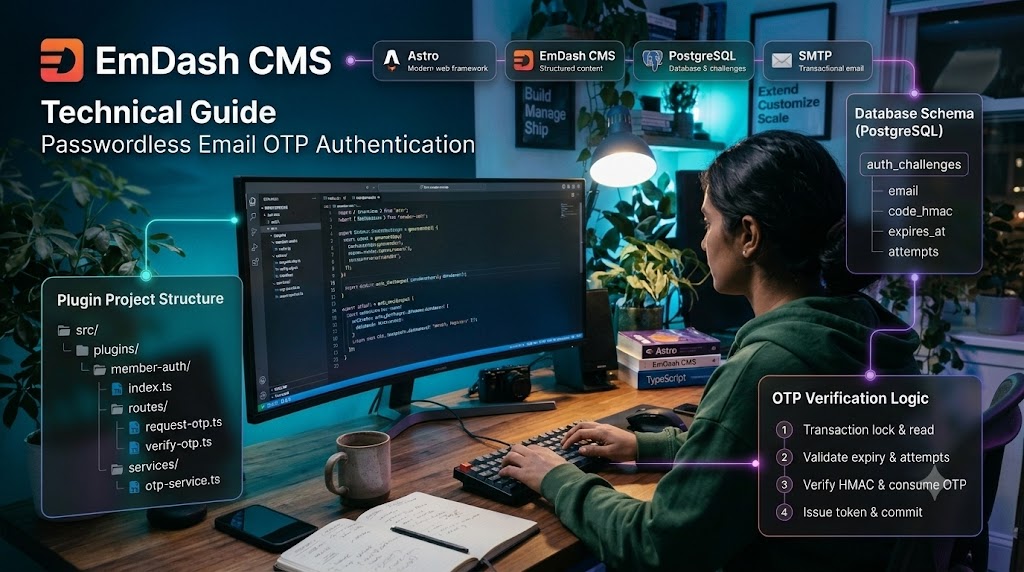
Passwordless Email OTP Authentication in EmDash CMS — Complete Technical Guide
Email OTP authentication lets users register or sign in using a one-time code sent to their email address, without storing a password. For a custom EmDash implementation, keep authentication logic in a dedicated native plugin rather than mixing it with the CMS admin authentication system.
Wordpress Security
Security for WordPress websites is one of the most important topics for website owners.
Wordpress SEO
Search engines are the biggest source of traffic for most websites.