
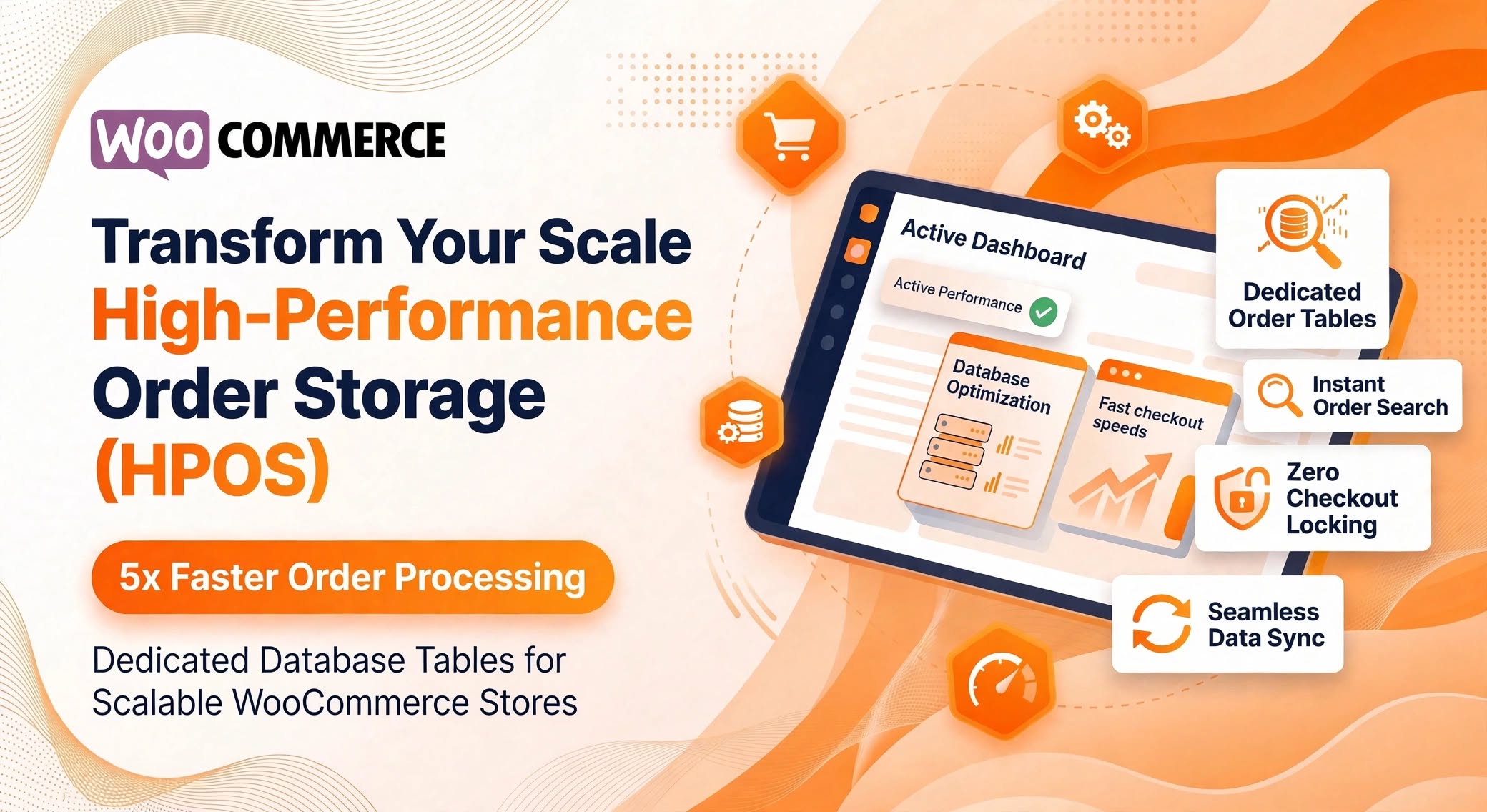
WooCommerce High-Performance Order Storage (HPOS)
As an eCommerce store grows from hundreds of orders to tens of thousands, database bottlenecks quickly become the biggest threat to checkout speed and admin responsiveness. Historically, WooCommerce relied on WordPress’s default post architecture (wp_posts and wp_postmeta) to store order records. While convenient in the early days of WordPress eCommerce, this structure was never designed for high-concurrency transactional data.
High-Performance Order Storage (HPOS)—formerly known as Custom Order Tables—re-architects how WooCommerce stores, queries, and manages order data. Introduced as a core standard in modern WooCommerce releases, HPOS decouples order records from WordPress posts and places them into dedicated, indexed database tables tailored specifically for eCommerce workloads.
Why the Legacy Post Meta Architecture Struggled at Scale
In the legacy system, every WooCommerce order was saved as a custom post type (shop_order) inside wp_posts, while every single piece of order metadata—billing address, shipping address, payment method, tax details, and custom fields—was stored as an individual row in wp_postmeta.
A single order could easily generate 40 to 60 rows in wp_postmeta. When a store reached 100,000 orders, wp_postmeta swelled to millions of rows shared alongside blog posts, pages, and product metadata. This created three major operational issues:
- Table Bloat & Slow Queries: Searching for an order by customer email, billing city, or SKU required expensive
JOINoperations across massive, unoptimized key-value tables. - Database Locking During Peak Traffic: Flash sales or holiday surges caused read/write contention on
wp_postsandwp_postmeta, slowing down both storefront checkouts and WordPress admin tasks. - Complex Backups & Scaling: Separating transactional order data from editorial content for read-replicas or targeted backups was nearly impossible when both lived in the same tables.
How HPOS Re-Architects Order Data
HPOS replaces the key-value post-meta bottleneck with four dedicated, flat relational tables engineered specifically for order operations:
| Database Table | Primary Responsibility |
|---|---|
wp_wc_orders | Stores core order fields (status, currency, total amount, customer ID, billing email, date created) in flat, indexed columns. |
wp_wc_order_addresses | Dedicated storage for normalized billing and shipping address fields, enabling rapid address and location lookups. |
wp_wc_order_operational_data | Tracks internal flags, stock reduction status, prices-include-tax flags, and payment gateway tokens. |
wp_wc_orders_meta | Stores supplementary and custom plugin metadata cleanly isolated from standard WordPress post metadata. |
Key Performance Benchmarks & Benefits
- Up to 5x Faster Order Creation: Checkout write operations require significantly fewer database queries and avoid
wp_postmetalock contention. - Up to 40x Faster Order Filtering & Search: Searching orders in the WooCommerce admin dashboard by customer name, email, or status queries indexed columns directly rather than scanning millions of meta rows.
- Simplified Data Portability: Store owners and developers can query, export, or archive order data cleanly without parsing WordPress post structures.
Developer Guide: Writing HPOS-Compatible Code
For developers maintaining custom themes, snippets, or plugins, HPOS requires abandoning direct WordPress post functions (get_post_meta(), update_post_meta(), WP_Query on shop_order) in favor of WooCommerce’s CRUD (Create, Read, Update, Delete) abstraction layer.
1. Reading and Updating Order Data
Instead of treating an order as a post ID, always retrieve the WC_Order object using wc_get_order():
// Legacy approach (Breaks when legacy post sync is disabled)
$custom_note = get_post_meta( $order_id, '_custom_delivery_note', true );
update_post_meta( $order_id, '_custom_delivery_note', 'Leave at front desk' );

// HPOS-compatible CRUD approach
$order = wc_get_order( $order_id );
if ( $order ) {
    $custom_note = $order->get_meta( '_custom_delivery_note' );
    $order->update_meta_data( '_custom_delivery_note', 'Leave at front desk' );
    $order->save();
}
2. Querying Orders Safely
Replace get_posts() or WP_Query with wc_get_orders() or WC_Order_Query:
$orders = wc_get_orders( array(
    'status'        => array( 'wc-processing', 'wc-completed' ),
    'limit'         => 20,
    'billing_email' => '[email protected]',
) );
3. Declaring HPOS Compatibility in Custom Plugins
If you build custom plugins for WooCommerce, explicitly declare compatibility inside your main plugin file so WooCommerce does not flag your plugin as incompatible:
add_action( 'before_woocommerce_init', function() {
    if ( class_exists( \Automattic\WooCommerce\Utilities\FeaturesUtil::class ) ) {
        \Automattic\WooCommerce\Utilities\FeaturesUtil::declare_compatibility(
            'custom_order_tables',
            __FILE__,
            true
        );
    }
} );
Step-by-Step Migration Checklist for Store Owners
Transitioning an active store to HPOS is safe and reversible when executed methodically:
- Audit Active Plugins: Navigate to WooCommerce > Settings > Advanced > Features. WooCommerce automatically scans installed extensions and lists any plugins that have not declared HPOS compatibility. Update or replace incompatible extensions before proceeding.
- Test in a Staging Environment: Clone your production site to staging and run a full test suite covering checkout flows, payment gateways, refunds, subscriptions, and fulfillment integrations.
- Enable Compatibility Mode (Data Synchronization): Before switching your primary data source, enable Compatibility Mode under the HPOS settings. This keeps
wp_postsand the new HPOS tables synchronized in real time while background batch jobs backfill historical orders. - Monitor Sync Completion: Wait until the pending order sync counter reaches zero. For large stores, you can accelerate this via WP-CLI using
wp wc hpos sync. - Switch Primary Storage to HPOS: Once synchronization is complete and verified, select High-Performance Order Storage as your active order data store. Keep Compatibility Mode active for a few days as a safety fallback before disabling legacy post synchronization to reclaim database performance.
High-Performance Order Storage removes one of WordPress eCommerce's oldest architectural ceilings, giving growing stores enterprise-grade database throughput without abandoning the flexibility of WooCommerce.
Related Posts

Custom WooCommerce Checkout: OTP Login, Magic Links & Smart Product Upsells
Reduce login friction and boost average order value in WooCommerce with passwordless Email OTP, Magic Login Links, and dynamic one-click checkout upsell recommendations.
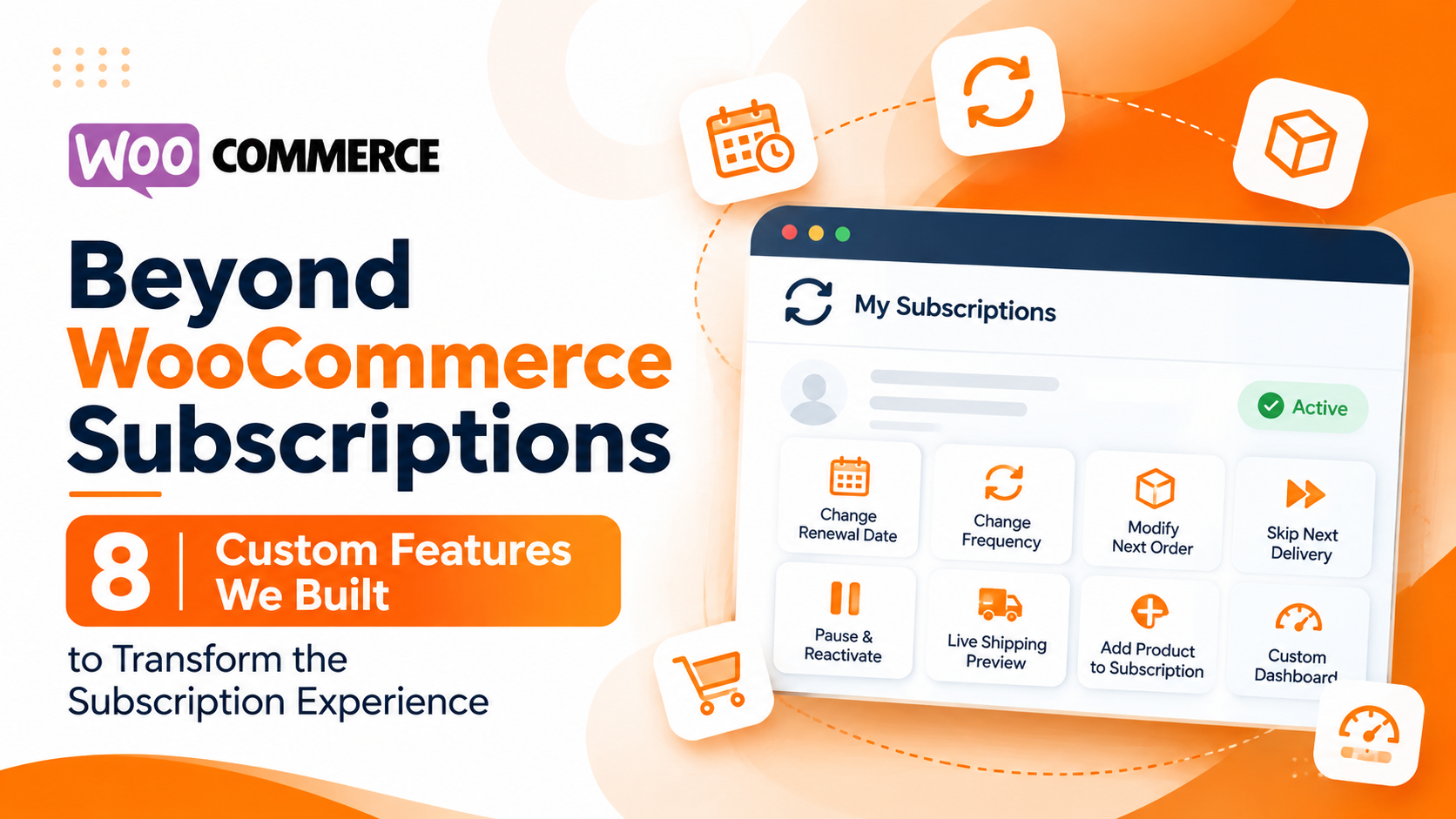
Beyond WooCommerce Subscriptions
WooCommerce provides a powerful foundation for eCommerce businesses. With the WooCommerce Subscriptions extension, store owners can manage recurring payments, automate renewals, and offer subscription-based products.

Integrating WooCommerce Multisite & Multilingual Architecture for Global Brands
Expanding an e-commerce brand into new countries, regional markets, or multiple sub-brands introduces complex operational hurdles. Managing separate WordPress installations for every country quickly turns routine catalog updates, plugin patches, and inventory tracking into a maintenance nightmare—while a single unlocalized store often struggles with low conversion rates due to unfamiliar currencies, untranslated checkout flows, and generic shipping rules.
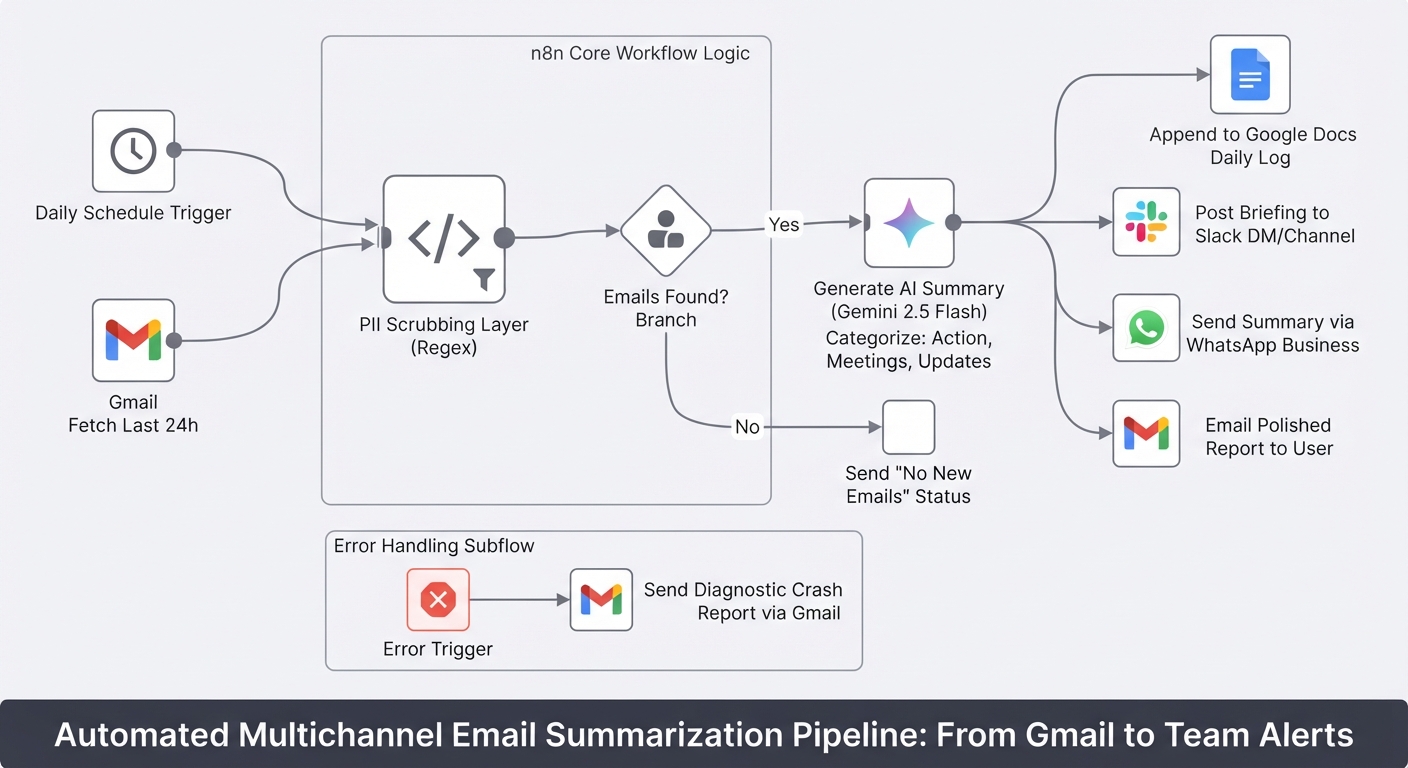
Summarize daily Gmail emails with Gemini and send to Slack, WhatsApp and Docs
Stop starting your day by drowning in unread emails. This workflow turns your Gmail inbox into a prioritized briefing delivered to Slack, WhatsApp, and Google Docs.